Recovery teams can usually see balances, account status, and agent activity. What is harder to see is what happens between outreach and payment: which channels are driving action, where consumers drop off, and whether reporting is current enough to support day-to-day decisions.
That gap matters in a market where debt collection remains a major source of consumer complaints. The CFPB said it received about 387,400 debt collection complaints in 2025, with roughly 304,700 sent to companies for review and response.
In that kind of environment, a collection dashboard needs to do more than display numbers. It needs to give teams a clear view of payment behavior, consumer engagement, and operational activity across the recovery process.
This article explains what a collection dashboard is, what it should show, and how to tell whether it is actually useful for collections operations.
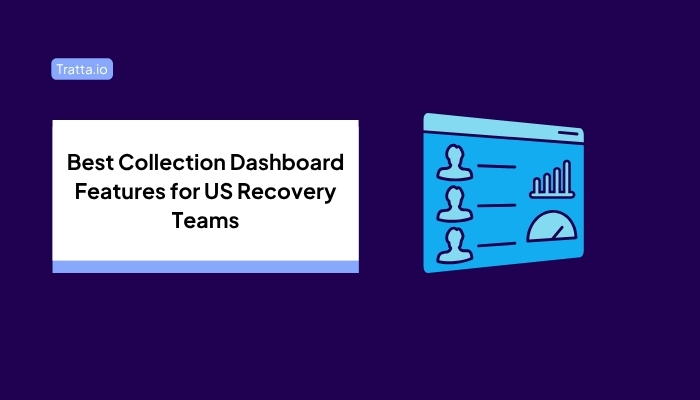
A collection dashboard is a reporting view that brings together the numbers, trends, and alerts a recovery team needs to monitor collection activity and payment outcomes in one place.
In debt collection operations, teams use it to track what is happening across accounts, payments, outreach, and workflow activity without pulling updates from separate systems or spreadsheets. The goal is not just to display information. It is to help teams read performance clearly, catch issues early, and understand what needs attention next.
In US recovery operations, that visibility supports faster review, cleaner follow-up, and more consistent oversight across sensitive payment and consumer communication workflows.
A strong collection dashboard should organize reporting into a few clear areas so teams can review activity without piecing the picture together manually.

For example, if SMS outreach shows healthy response rates but completed payments stay flat, the dashboard should help an operations lead see whether consumers are dropping off at the portal, failing at checkout, or stalling after selecting a payment plan.
This view should show what is happening on the payment side in practical terms. That includes completed transactions, active payment plans, failed payments, chargebacks or reversals, and the difference between scheduled payments and payments that were actually completed.
It should also make reconciliation easier by showing whether payment activity aligns properly across the system and whether scheduled activity is converting into actual payment movement.
A useful dashboard should also show how consumers are interacting with self-service options. That includes portal usage, actions taken during self-service flows, interaction with settlement offers, and movement across the repayment path.
This view helps teams see where consumers continue through the process and where activity slows before resolution.
Channel reporting should show how different outreach methods are performing. That includes email and SMS activity, response patterns by outreach method, and whether certain channels prompt more follow-through than others.
This makes it easier to compare outreach methods and identify where activity is not turning into enough response.
A useful dashboard should support day-to-day oversight, not just performance review. That means giving teams visibility into portfolio activity, dispute reporting, audit history, session logs, export access, and the ability to create custom reports when needed.
These reporting areas make it easier for operations, management, and compliance-related stakeholders to review activity from one reporting layer instead of rebuilding reports each time.
Reporting is only useful when it reflects current activity. A collection dashboard should pull from connected systems in a way that keeps payment, communication, and workflow data current enough to support action.
When systems stay connected, teams can spend more time reviewing live activity and less time validating whether the reporting is still current.
Need clearer visibility into payment activity, channel performance, and consumer behavior? Explore Tratta’s reporting and analytics tools.
Once the reporting structure is clear, the next step is to decide which numbers deserve the closest watch. These metrics help teams prioritize where review and follow-up matter most.
This shows how often an account interaction ends in a completed payment. It helps teams determine whether collection activity leads to actual resolution rather than just contact or engagement.
A promise or plan only matters if it holds. This metric helps teams track whether consumers are following through after agreeing to a payment date or plan structure.
This metric shows whether settlement offers are getting attention and action. It can help teams determine whether settlement options are reaching the right accounts and whether consumers are responding meaningfully.
A failed payment can indicate friction, payment-method issues, or a drop-off late in the process. Watching this number helps teams catch breakdowns that may not be obvious from account status alone.
This measures how often outreach through a given channel leads to a response. It gives teams a clearer view of which communication methods are generating interaction and which may need review.
This shows how often consumers are using digital self-service options instead of relying on agent support. It helps teams understand whether self-service tools are being adopted and where consumer behavior is shifting.
This metric helps teams monitor how accounts are moving across statuses, balances, or portfolio groupings over time. It is useful for spotting broader patterns that may not stand out at the individual account level.
Even with the right metrics in place, reporting can still fall short when the view is too limited or too difficult to work with.
A dashboard can look complete on the surface and still miss the details teams need most. When reporting is narrow, delayed, or too manual, it becomes harder to rely on it during daily collection work.
Here are some common signs:
When those issues show up regularly, the problem is not just reporting inconvenience. It is a sign that the dashboard is not giving teams a clear enough view to review activity, respond quickly, and stay aligned.
After spotting the reporting gaps, the next step is to assess whether the dashboard fits the way the operation actually runs.

Look for these criteria:
Real-Time or Near-Real-Time Visibility: The dashboard should be current enough to support active follow-up and daily decisions, not just delayed review.
Reporting Depth: It should go beyond surface-level updates and provide a more comprehensive view of collection activity.
Visibility Into Self-Service Behavior: As more payment activity moves to digital channels, teams need reporting that shows how consumers use those channels.
Flexible Exports and Custom Reporting: Different teams need different views. Reporting should be easy to export, adjust, and review without extra manual work.
Integration Fit: The dashboard should work well with the systems already tied to payments, communications, and account management.
Auditability and Workflow Control: Teams should be able to review historical activity clearly and maintain stronger oversight across operations.
Collection-Specific Relevance: Software built for collection workflows is more likely to match the reporting needs of agencies and related recovery teams than a generic dashboard tool.
The goal is to choose reporting software that supports faster review, clearer follow-up, and fewer reporting gaps.
Those differences are easier to spot when the software is built around collection workflows rather than generic reporting needs.
Tratta brings several reporting views into one place so recovery teams can review activity without jumping between separate tools. That includes real-time reporting, consumer journey analytics, payment-plan activity, settlement engagement, and email and SMS performance, so teams can review repayment and outreach activity in one connected reporting environment.
It also gives teams access to reporting around failed payments, chargebacks, reconciliation-related activity, and projected payment schedules. That is useful when teams need a clearer picture of what is progressing as expected and what may need intervention or follow-up.
For reporting flexibility, Tratta supports custom reports, scheduled and on-demand exports, and API-connected data access. That makes it easier for teams to pull the views they need and keep reporting closer to the systems already involved in payments, communications, and account management.
It also includes session logs, audit history, portfolio-level visibility, and dispute-related reporting, which can help teams review past activity more clearly and maintain stronger oversight across day-to-day operations.
Want better visibility into payment activity, consumer behavior, and day-to-day reporting? Schedule a personalized demo with Tratta.
A strong collection dashboard gives teams one clearer place to review how collection activity is progressing. It should bring payment progress, consumer follow-through, outreach response, and reporting consistency into one reviewable view so teams can identify issues earlier.
That kind of visibility matters when decisions are being made across operations, payments, compliance, and management simultaneously. When reporting is easier to trust and easier to review, teams are in a better position to stay aligned and keep work moving.
A collection dashboard is built around recovery activity, not general business reporting. It is meant to help teams review collection-related movement, account-level progress, and payment-related activity in a collections setting.
It is useful for more than one team. Operations leaders, payment teams, compliance reviewers, and management stakeholders may all rely on the dashboard to review different parts of the workflow.
That depends on the pace of the operation, but it should be reviewed often enough to support daily decisions. For many teams, that means checking it throughout the day rather than treating it as a weekly reporting tool.
Yes. When different teams work from one reporting view, it becomes easier to reduce confusion, review the same activity, and avoid separate interpretations of what is happening.
No. Even smaller recovery teams can benefit from clearer visibility, especially when reporting is spread across tools or when manual review is taking too much time.